
Introduction: A Machine That “Draws in 3D”#
In the 1980s, engineers proposed an idea that sounded absurd at the time: if a printer can lay ink onto paper line by line, why not stack material into a solid object, layer by layer?
Forty years later, that idea has become the two-hundred-dollar machine on your desk—and also the hundreds of parts that no longer exist in a SpaceX rocket engine. According to public reporting, the Raptor engine consolidated a large number of components into a very small number of monolithic parts through 3D printing. The same process term connects toys at one end and aerospace at the other.
This guide aims to explain 3D printing in one pass:
- How it actually “prints” a three-dimensional object
- The key leaps it made over forty years
- What really separates FDM, photopolymerization, powder bed fusion, and metal melting
- Where your money should go if you want a home machine in 2026
- What industry has done with it that traditional processes cannot, and what it cannot do
1. How It Actually “Prints”: The Whole Pipeline from Model to Object#
Many people assume 3D printing means “send the model from your computer to the machine and it spits out the object.” In reality several stages sit in between, and each can go wrong.
1. Start with a 3D model#
There are three mainstream paths:
- CAD modeling: use Fusion 360, SolidWorks, or FreeCAD to draw parts with precise dimensions. Functional parts and assemblies must go this route.
- Sculpting: Blender or ZBrush, shaping like clay—suited to characters, figurines, and art pieces.
- Scanning or AI generation: a 3D scanner replicating a physical object, or AI generating a mesh from a single image or a sentence. This is the stage whose barrier has fallen fastest since 2024—“I can’t model” used to be the biggest blocker, and it is being rapidly filled in.
2. Slicing: cutting a solid into thousands of “sheets of paper”#
The model goes to slicing software (Bambu Studio, OrcaSlicer, Cura, PrusaSlicer, and others), which does three things:
- Cuts the model along the Z axis into 2D contours, each layer typically 0.1–0.3 mm thick
- Plans the path the nozzle or laser will follow on every layer, computing speed, temperature, and flow
- Generates G-code—a list of coordinates and motion commands the machine can read
A 10 cm tall model sliced at 0.2 mm layer height requires roughly 500 layers. Those layer lines you see on the side of a finished print come from exactly this.
3. Layer-by-layer accumulation: material plus energy#
Inside the machine, every process shares exactly one thing: add material layer by layer and cure it in place. The only differences are how material is added and how it is cured:
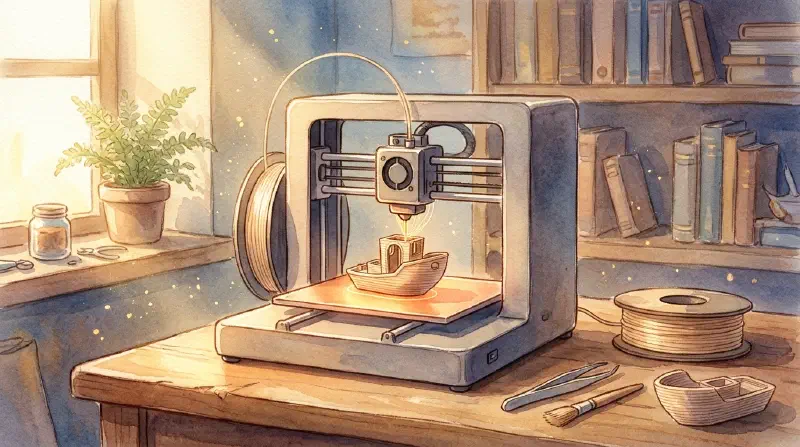
- Extrusion: a heated nozzle melts plastic filament into a semi-liquid state and lays it down, where cooling sets it
- Photopolymerization: UV light cures liquid resin, cross-linking it hard in an instant
- Sintering/melting: a laser or electron beam sweeps across powder, welding particles together
- Jetting: a printhead deposits binder or photosensitive droplets, building the part layer by layer through “gluing” or “exposing”
4. Post-processing: where the real time goes#
Beginners underestimate this stage most. A finished print is only a blank:
- FDM requires removing supports, trimming burrs, and if needed sanding, polishing, and painting
- Resin printing requires removing parts, washing off residual resin with alcohol, and a second UV cure
- Metal printing requires removing supports, heat treatment to relieve internal stress, and CNC finishing on mating surfaces
There’s an old saying in the industry: two hours to print, two hours to post-process. That isn’t a complaint—it’s a cost you must factor into any purchase decision.
2. Three Leaps in Forty Years: From the Lab to Your Desk#
The first leap (1980s): turning an idea into a patent#
- 1981: Hideo Kodama, at the Nagoya Municipal Industrial Research Institute in Japan, submitted a scheme for stereolithographic rapid prototyping—curing photosensitive resin layer by layer under UV light. This is widely regarded as one of the origins of additive manufacturing.
- 1984: American Chuck Hull invented stereolithography (SLA), received a patent in 1986, then founded 3D Systems and shipped the first commercial machine, the SLA-1, in 1988.
- 1988: Scott Crump, armed with a hot glue gun and some engineering intuition, invented fused deposition modeling (FDM)—heating and extruding plastic filament, drawing an object layer by layer. He went on to found Stratasys.
- 1989: Carl Deckard at UT Austin invented selective laser sintering (SLS), welding powder into a solid with a laser.
The keyword for this era is expensive: machines cost hundreds of thousands of dollars, affordable only to prototyping departments in aerospace, automotive, and medical companies. Their role was “rapid prototyping”—checking whether a design looked right before cutting a mold.

The second leap (2005–2015): open source brought the price down#
In 2005, Adrian Bowyer at the University of Bath launched the RepRap project, aiming to build an open-source 3D printer that could print its own parts. In 2008, the first-generation machine, Darwin, really did replicate most of its own components.
Shortly after, FDM’s core patents expired through the late 2000s. Together these two developments set off an explosion in desktop 3D printing: MakerBot, Ultimaker, Prusa and others appeared, and prices fell from tens of thousands of dollars to a few hundred.
In 2012, The Economist called “digital manufacturing + 3D printing” a signature technology of the third industrial revolution. Media interest ran extremely hot for a few years, and it did breed a bubble—plenty of companies waving the 3D printing flag built machines that could not print a decent cube.
The third leap (2022 to now): from “it prints” to “you don’t have to babysit it”#
If the second stage solved “affordable,” this stage solves “actually pleasant to use.”
Marked by Bambu Lab’s entry in 2022, consumer FDM changed qualitatively:
- LiDAR and multi-sensor auto-calibration turned off-putting steps like leveling the bed and setting Z-offset into automatic routines
- CoreXY kinematics plus Klipper firmware went mainstream, pushing rated speeds from the ~60 mm/s class around 2023 to the 500–600 mm/s range
- Multi-color material systems (AMS, CFS, ACE, and others) took four-color printing from “a thousand-dollar retrofit” to “a few-hundred-dollar first-party module”
- Full-color FDM began to appear: multiple CMYK nozzles mixing color directly rather than swapping filament
- AI modeling plus intelligent slicing: one-sentence model generation, automatic supports, automatic overhang detection—flattening the steepest part of the beginner’s learning curve
In the same period, the industrial story was entirely different: metal printing moved from “prototyping” to “a production process.” According to an October 2026 report in People’s Daily, the global 3D printing market was worth about $24.2 billion in 2025, and orders for domestically produced metal printing equipment were booked through the end of that year.
3. The Process Map: What Those Acronyms Actually Mean#
The international standard ISO/ASTM 52900 divides additive manufacturing into seven process categories. On equipment you can actually buy, these are the ones individuals and companies will genuinely encounter:
| Process | Principle in one line | Typical materials | Common layer height | Typical price | Best for |
|---|---|---|---|---|---|
| FDM / FFF | Heat and extrude plastic filament, layer by layer | PLA, PETG, ABS, ASA, TPU, nylon, carbon-fiber-filled | 0.05–0.3 mm | Under $500 | Structural parts, enclosures, jigs, toys, large objects |
| SLA / MSLA | UV light cures liquid resin | Photopolymer resin (standard/tough/dental/castable) | 0.025–0.1 mm | Under $500 | Figurines, miniatures, jewelry masters, dental models |
| SLS | Laser sinters polymer powder; powder self-supports | PA12, PA11, TPU, glass-filled nylon | 0.06–0.12 mm | $50k–100k+ | Small-batch functional parts, complex support-free structures |
| MJF | Inkjet deposits fusing agent, infrared fuses powder (HP proprietary) | PA12 family | ~0.08 mm | $150k+ | Nylon production runs of a few hundred parts |
| PolyJet | Printhead jets resin droplets, UV-cured as it goes | Multi-material photopolymer | 0.014–0.027 mm | From $50k | Multi-color, multi-material appearance prototypes, medical models |
| DMLS / LPBF | Laser melts metal powder in an inert atmosphere | Stainless steel, aluminum, titanium, Inconel, cobalt-chrome | 0.02–0.06 mm | $150k+ | Aerospace parts, conformal cooling molds, implants |
| EBM | Electron beam melts metal powder in vacuum | Titanium, cobalt-chrome, Inconel | 0.05–0.2 mm | $150k+ | Large titanium structures, orthopedic implants |
| Binder jetting | Binder glues powder into a “green part,” then sintered | Silica sand, stainless/bronze, ceramics | 0.035–0.1 mm | From $50k | Sand casting molds, scaled metal parts |
| DED | Laser/arc/electron beam feeds and melts material simultaneously | Metal wire or powder | 0.5–3 mm | From $50k | Meter-scale parts, part repair |

Three differences worth remembering#
① Precision isn’t the only metric—anisotropy is FDM’s weak spot. FDM parts have directional strength: strong within a layer, comparatively weak between layers. So when printing load-bearing parts, orientation matters more than material—a hook with layer lines perpendicular to the load can survive in PLA; rotate it and ABS may snap. SLS, MJF, and metal melt parts are close to isotropic.
② “Consumer SLA” is almost always MSLA. True laser SLA is industrial equipment. The few-hundred-dollar “SLA printers” you buy online are overwhelmingly MSLA (a monochrome LCD acts as a mask, exposing an entire layer at once). Don’t be swayed by terms like “16K screen”—what you should compare is the micron size of the XY pixel. At the same 16K, a smaller screen with denser pixels is finer; a larger screen is coarser.
③ The biggest advantage of powder bed processes is that they need no supports. With SLS/MJF, unsintered powder is itself the support. That allows nesting a dozen parts into a single build and producing overhanging structures FDM cannot—which is precisely why these processes own small-batch production.
4. Materials: The Half That Sets the Ceiling#
The machine is only a tool; material is the ceiling. Common filaments have very different personalities:
| Material | Print difficulty | Heat resistance | Strength/toughness | Characteristics and uses |
|---|---|---|---|---|
| PLA | ★☆☆☆☆ | ~55–60°C | Hard but brittle | Easiest to print, low odor, many colors; poor heat resistance—it will deform in a hot car. Good for display pieces and prototypes |
| PETG | ★★☆☆☆ | ~70–80°C | Tough, slightly soft | The most balanced overall, decent weather resistance. Good for functional parts and small outdoor items |
| ABS / ASA | ★★★☆☆ | ~90–100°C | Tough | Needs an enclosed chamber to prevent warping; ASA resists UV, suited to long-term outdoor use |
| TPU | ★★★★☆ | ~70°C | Highly elastic | Flexible parts, phone cases, seals; requires a direct-drive extruder and slow printing |
| Nylon (PA / PA-CF) | ★★★★☆ | ~100°C+ | High strength, wear resistant | Gears, hinges, load-bearing parts; hygroscopic—must be dried before printing |
| Photopolymer resin | ★★☆☆☆ (tedious post-processing) | Depends on formulation | Hard but brittle | Unbeatable detail; standard resin is brittle, choose engineering resin for toughness |
| Metal powder | Industrial grade | Hundreds of °C | Extremely high | Titanium, aluminum, stainless steel, Inconel; requires professional post-processing and safety protocols |
A practical suggestion: don’t buy five materials on day one. Print a roll of PLA until you know the machine and understand slicing, then move to PETG; only once you can reliably print a large flat surface without warping should you consider ABS/ASA or TPU. Every material you add is another set of parameters to learn.

5. Buying a Home Machine in 2026: Where the Money Should Go#
Answer three questions first—more useful than a spec sheet#
- What will you print? Display pieces and toys → FDM is enough; figurines, miniatures, dental models, jewelry → go resin
- How big is your largest part? Build volume is the constraint most likely to force an upgrade, and it’s harder than price. Common desktop machines are 220–256 mm cubed; large-format machines reach 350 mm
- Are you willing to tinker? Want it to work out of the box → closed ecosystem; want to modify, swap parts, and play with firmware → open ecosystem
Rough trade-offs at three budget tiers#
| Budget | What you get | Who it suits |
|---|---|---|
| $140–280 (¥1,000–2,000) | Entry-level FDM (Ender-3 V3 series, A1 mini and other small-format machines) | Testing the waters, small parts, teaching aids for kids |
| $280–560 (¥2,000–4,000) | Mainstream enclosed FDM, auto-leveling + high speed + optional multi-color module | Most households and solo makers—the value sweet spot |
| $560–1,100 (¥4,000–8,000) | Larger build volume, enclosed chamber, higher-temperature hotend (ABS/ASA/engineering materials) | Heavy users printing functional parts over the long term |
| $200–420 (¥1,500–3,000, resin line) | 10K–16K monochrome MSLA plus a wash-and-cure kit | Figurines, models, dental and jewelry work |
Six buying criteria#
- Auto-leveling is a requirement, not a bonus. Manual bed leveling has discouraged more beginners than any other single factor.
- Check whether it’s enclosed. If you want to print ABS/ASA/engineering materials, an open-frame machine is essentially a non-starter.
- Buy a multi-color system only if you need one. Multi-color looks great, but filament changes waste material, slow things down, and add failure points. Confirm you genuinely have a high-volume multi-color need first.
- Don’t ignore noise. For a machine in the bedroom, quiet design matters far more than rated speed.
- Resin machines demand ventilation and protective gear. Resin smells and irritates skin; gloves, goggles, ventilation, and isopropyl alcohol for washing are all mandatory.
- Consider the ecosystem and consumable costs. Closed ecosystems are pleasant but consumables are expensive; open ecosystems are cheap but you tune the parameters yourself.
Three pitfalls beginners fall into most#
- Discovering only after buying that you need software and modeling skills—spend two hours learning to slice before you order
- Overlooking post-processing consumables: scrapers, tweezers, alcohol, sandpaper, glue—it all adds up
- Starting with complex models: begin with a calibration cube or a benchy; take on harder shapes once the machine is dialed in
6. The Industrial Side: Where Manufacturing Actually Changed#
Consumer 3D printing is “fun”; industrial 3D printing is “useful.” Its value isn’t in making something that looks right—it’s in producing structures traditional processes cannot.
Aerospace: collapsing dozens of parts into one#
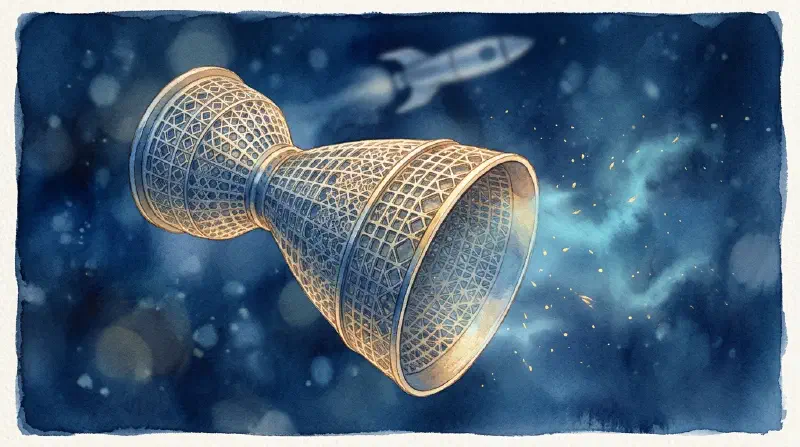
Traditional manufacturing is subtractive—cutting away material from a solid block, where more complex structures mean more difficulty and more cost. Additive manufacturing inverts this: complexity costs almost nothing extra, because the part is grown.
Designers can finally make shapes that were previously “imaginable but unbuildable”: honeycombs, lattices, biomimetic topology-optimized structures. According to People’s Daily, AVICMTI used its own titanium alloy powder, drew on the structure of bird bones and insect wings for topology optimization, and formed a wing support bracket in one piece—40% lighter, with a 26% range improvement. SpaceX’s Raptor engine, meanwhile, reduced hundreds of parts to a very small number of monolithic components.
Less weight = less fuel = less money. In aviation, that is hard currency.
Medicine: from “standard part” to “a part made for you alone”#
This is additive manufacturing’s most moving application area:
- Surgical guides and anatomical models: print a lesion model from a patient’s CT data so the surgeon can rehearse before the operation
- Bone implants, tracheal stents, vascular stents: porous lattice structures invite the patient’s own bone tissue to grow in, making them more “part of the body” than traditional prosthetics
- Rehabilitation aids: prosthetic sockets custom-shaped to the residual limb, with sharply lower cost and lead time
- Bioabsorbable scaffolds: a personalized 3D printed degradable breast scaffold developed at Xi’an Jiaotong University uses biomimetic microstructures so its mechanical properties approach real tissue, and can guide the body’s own tissue to grow in vivo
Marine, nuclear, construction: lead times rewritten#
- The Beijing Institute of Technology’s Chongqing Innovation Center uses wire-arc 3D printing to make ship propellers, cutting delivery from roughly three months with traditional casting to 10 days
- In 2025 the UAE launched the world’s first fully 3D printed catamaran, printed from recycled ocean plastic in about six days at roughly one-third the cost of a conventional yacht
- Ampera in the United States 3D printed a full-scale nuclear reactor module, targeting 30 years of continuous operation without refueling
- In construction, concrete printing has already produced houses and bridge components in real projects
The organization of production is changing too#
This layer is often overlooked but has deeper implications:
- Boeing produces parts near where they’re needed through a global 3D printing network, cutting transport costs
- Companies like EOS are exploring usage-based pricing—firms don’t buy equipment, they call into a global printing network
- Cloud platforms plus local manufacturing: design collaboration happens online, production happens on the machine nearest the user
This means manufacturing may shift from “centralized production in large factories” to “distributed, on-demand production.” That is what The Economist really meant by the third industrial revolution—not that the machines changed, but that the organization of production changed.
Four frontiers#
- Printing in space: rather than shipping finished parts from Earth, send up material and manufacture in orbit. In 2026 China produced a complete metal component for the first time in a suborbital microgravity environment and completed a space metal additive manufacturing demonstration at 600 km altitude
- Bioprinting: “bio-inks” encapsulating living cells deposited layer by layer; skin, cornea, and cartilage have entered clinical exploration. Full-scale organs remain blocked by vascularization, cell viability, and immune compatibility
- 4D printing: smart materials printed into structures that change shape in response to temperature, light, or humidity—deployable vascular stents and adaptive wings fall in this direction
- Multi-material integration: a single part containing rigid, flexible, and conductive regions at once is a major focus for the coming years
7. What It Can’t Do: Bringing Expectations Back to Earth#
3D printing has been over-mythologized once already, so some cold water is warranted:
- It doesn’t win on volume production cost. For ten thousand identical plastic parts, injection molding’s unit cost may be one-tenth of 3D printing’s. Additive manufacturing’s advantage is small batches, complex structures, and customization—not “more.”
- Surface quality and precision still trail CNC. Metal printed parts usually still need machining on mating surfaces; FDM’s layer lines are a physical characteristic that cannot be fully eliminated.
- Material properties have a ceiling. Desktop FDM parts lag far behind injection-molded parts in long-term strength, fatigue resistance, and weatherability. Material certification—medical, aerospace—is the real barrier to industrial adoption.
- Post-processing is the hidden cost center. Support removal, washing, curing, heat treatment, machining, inspection: often more expensive than the printing itself.
- It doesn’t reduce design work. On the contrary, exploiting additive manufacturing requires learning a new set of design rules (DFAM)—which angles avoid supports, how thick walls should be, how to let powder drain cleanly.
8. For Anyone Starting Out: A 30-Day Path#
Week 1: print other people’s models until you know the machine Download ready-made calibration parts (a cube, a temperature tower, a benchy) and drill the fundamentals: leveling, adhesion, layer height, temperature. Don’t touch modeling this week.
Week 2: learn slicing and understand the parameters Print the same model at different layer heights, infill densities, and wall thicknesses, then compare strength, time, and material consumption. This week is when the physics of printing actually clicks.
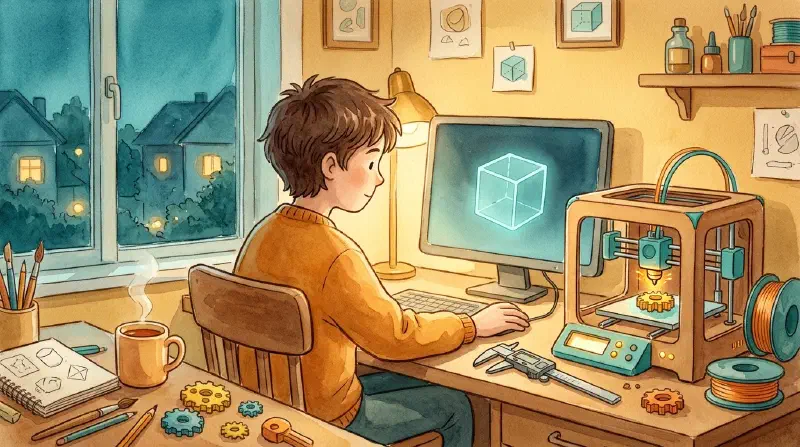
Week 3: learn modeling, starting from modifications Modify someone else’s model first (add a hole, change a dimension), then draw a simple part from scratch. Suggested tools: Fusion 360 (parametric, engineering-oriented) or Blender (free-form sculpting).
Week 4: make something genuinely useful Fix a broken handle, print a drawer divider, make a gear toy for your kid. You’ve truly started only when the first thing you print gets used for real.
Conclusion: A Machine That Turns Ideas into Objects#
The most common misunderstanding about 3D printing is treating it as “a better printer.” It doesn’t output documents—it turns digital models into physical objects. For the first time in human history, an ordinary person can, at home, with a few dollars of material, turn a shape in their head into something they can hold in their hand.
Yes, it is still slow, still rough, still full of limits. But in forty years it has gone from a half-million-dollar laboratory instrument to a two-hundred-dollar household appliance, and metal parts have gone from “prototype validation” to production components on rockets and nuclear reactors.
If you remember only one sentence: the value of additive manufacturing isn’t printing—it’s making complex structures inexpensive.
References#
- “3D Printing Gives Manufacturing More Possibilities,” People’s Daily, 2026-10-30 (Lu Bingheng, Li Dichen)
- “10 Types of 3D Printers in 2026: FDM, SLA, SLS and More Explained,” Meshy Blog, updated 2026-10
- Formlabs, “FDM vs SLA vs SLS technology comparison”
- ISO/ASTM 52900, standard for additive manufacturing process categories
- RapidDirect, “Aerospace 3D Printing Guide 2026”